I like Debian. Debian was my first choice when I built a new computer in 2025… only to find out that hardware can be too new for Debian.
I eventually landed on Linux Mint but I still choose LMDE for my laptops, for the stability combined with familiarity. I just have to lean on flatpak a little more than usual.
I bought an Intel Arc A580 as the GPU. Debian Bookworm (the latest in early 2025) predated the A580 by four months. The drivers weren’t outdated… They just didn’t exist.
The onboard ethernet and audio drivers also didn’t properly run. Had to compile them by hand by using chipset info. I vaguely recall having to hack together a startup script that would recompile and reinstall them everytime the kernel updated.
It all came crashing down when my NVME stopped being recognized on reboot. No idea what the cause there was. Maybe a mobo chipset incompatibility? Again, the mobo was newer than Debian Bookworm by a full year, so very likely.
I can’t explain the issues any other way. I tried Debian Bookworm, hit quite a few pieces of hardware that flat-out didn’t function; installed a Debian-derivative, and they suddenly worked.
I know that Debian has a pretty strict stance against binary blobs, so maybe they deliberately didn’t support my new hardware? I guess an additional test would be to find a blank NVME and try out Trixie. If Trixie still didn’t work it would show that it’s some spin Ubuntu/Mint is putting on it. A shame NVME drives are insanely priced right now.
I did know of and include non-free-firmware and even added a known repo of community-supported firmware, though I can’t recall if that was in Debian Bookworm or LMDE. 2 years is a long time to remember a week’s worth of troubleshooting. Either way it didn’t provide any of the required firmware for my missing hardware.
I do know I updated and reset the UEFI after installing the mobo, before even trying Debian. I think that boot issue was just down to the bootloader not liking LUKS. But who can tell. I certainly didnt keep any logs around… I just wanted a working PC so I ended up wiping the drive after every failure. Haha
I had an issue where my DE was leaking ~18MB of VRAM every time I opened a window. I reported it, and it turns out it was the NVIDIA 610 drivers causing it. Downgrading to 595 fixed it immediately.
I was considering LMDE. But i do like KDE, which sadly isn’t an official part in Linux Mint. So far i had no major trouble with the hardware. I just had to include the nvidia repo to have the most recent driver. It would work perfectly fine without it, since the main gpu is an AMD, but i need it for some games.
I wonder if there’s anyone who’s running Mint but installed KDE anyway. It’s theoretically possible and of the reviews in the Software Manager, the most recent gives it 5 stars. The older ones are less happy, but are from around 7 years ago.


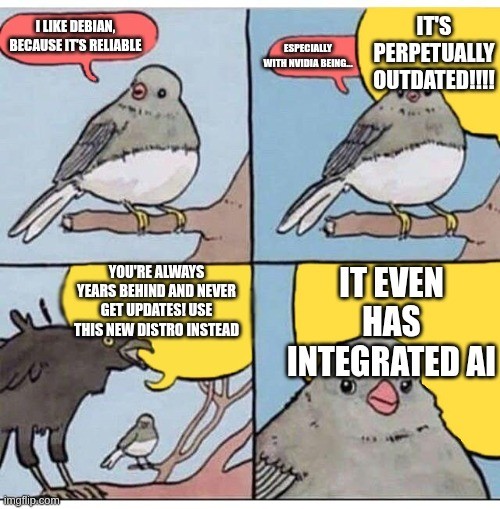
I like Debian. Debian was my first choice when I built a new computer in 2025… only to find out that hardware can be too new for Debian.
I eventually landed on Linux Mint but I still choose LMDE for my laptops, for the stability combined with familiarity. I just have to lean on flatpak a little more than usual.
99.999% of the time it’s just outdated GPU drivers which causes the problem.
oh noooo, it was far more than that.
I bought an Intel Arc A580 as the GPU. Debian Bookworm (the latest in early 2025) predated the A580 by four months. The drivers weren’t outdated… They just didn’t exist.
The onboard ethernet and audio drivers also didn’t properly run. Had to compile them by hand by using chipset info. I vaguely recall having to hack together a startup script that would recompile and reinstall them everytime the kernel updated.
It all came crashing down when my NVME stopped being recognized on reboot. No idea what the cause there was. Maybe a mobo chipset incompatibility? Again, the mobo was newer than Debian Bookworm by a full year, so very likely.
That makes me think something else is going on.
Also, Debian doesn’t take 1 day to accept new packages. 4 months is not that long.
I can’t explain the issues any other way. I tried Debian Bookworm, hit quite a few pieces of hardware that flat-out didn’t function; installed a Debian-derivative, and they suddenly worked.
I know that Debian has a pretty strict stance against binary blobs, so maybe they deliberately didn’t support my new hardware? I guess an additional test would be to find a blank NVME and try out Trixie. If Trixie still didn’t work it would show that it’s some spin Ubuntu/Mint is putting on it. A shame NVME drives are insanely priced right now.
Maybe you didn’t include the non-free-firmware repo somehow. Maybe you had some really fucked up BIOS settings.
I did know of and include non-free-firmware and even added a known repo of community-supported firmware, though I can’t recall if that was in Debian Bookworm or LMDE. 2 years is a long time to remember a week’s worth of troubleshooting. Either way it didn’t provide any of the required firmware for my missing hardware.
I do know I updated and reset the UEFI after installing the mobo, before even trying Debian. I think that boot issue was just down to the bootloader not liking LUKS. But who can tell. I certainly didnt keep any logs around… I just wanted a working PC so I ended up wiping the drive after every failure. Haha
Or in some cases, new ones lol
I had an issue where my DE was leaking ~18MB of VRAM every time I opened a window. I reported it, and it turns out it was the NVIDIA 610 drivers causing it. Downgrading to 595 fixed it immediately.
Mint is incredible
Yep, have used it for years.
I’ve dabbled with Debian, Ubuntu and Fedora for a while but always end up just continuing to use Mint.
I was considering LMDE. But i do like KDE, which sadly isn’t an official part in Linux Mint. So far i had no major trouble with the hardware. I just had to include the nvidia repo to have the most recent driver. It would work perfectly fine without it, since the main gpu is an AMD, but i need it for some games.
I wonder if there’s anyone who’s running Mint but installed KDE anyway. It’s theoretically possible and of the reviews in the Software Manager, the most recent gives it 5 stars. The older ones are less happy, but are from around 7 years ago.